You can turn your Instagram profile into a shoppable storefront, even when you’re just getting started with products.
Did you know that Instagram Shopping remains one of the most accessible ways for creators and small businesses to monetize directly in 2026? With billions of users scrolling daily, it’s a visual-first platform that turns discovery into sales, especially powerful for niche products like custom laser-engraved items.
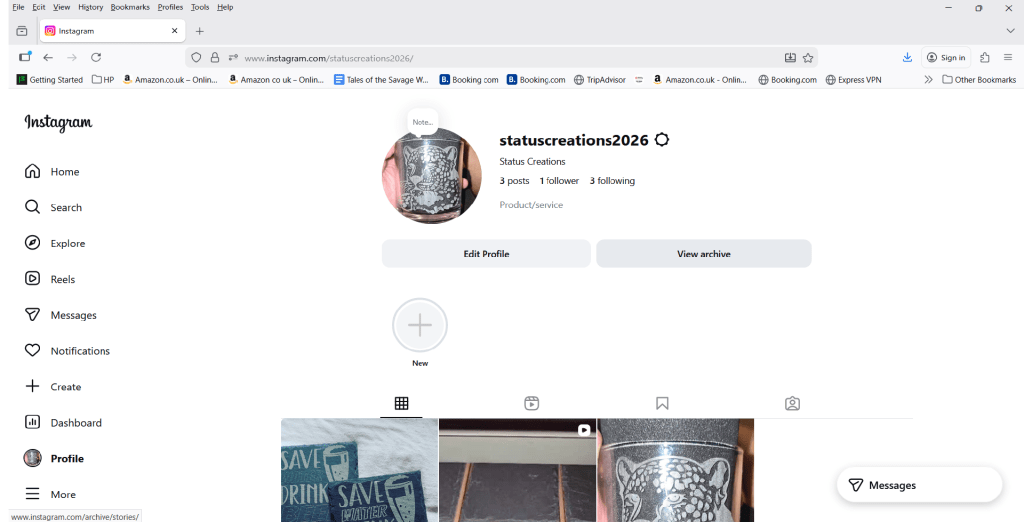
As someone running a small business, I have just set this up for Status Creations (https://www.instagram.com/statuscreations2026/), our brand focused on personalized laser-engraved gifts, signage, and custom creations. The catalog is still growing (we will be adding products gradually), but we decided it was never too early to get the Shop tab live and start building visibility.
In this guide, I’ll walk you through the steps to set up Instagram Shopping in 2026, share South Africa-specific realities, and explain why we jumped in now.
Step 1: Switch to a Professional Account
Instagram Shopping only works on Business or Creator accounts: no personal profiles allowed.
- Open the Instagram app.
- Go to your profile → Tap the three lines (menu) → Settings and privacy → Account type and tools.
- Select “Switch to professional account.”
- Choose Business (ideal for product sellers) or Creator (if you’re more content-focused).
- Follow prompts to connect to a Facebook Page (required — more on this next).
This switch unlocks Insights, ads, and Commerce features. It’s quick and reversible
Step 2: Connect to a Facebook Page (Mandatory)
Meta ties Instagram Shopping to Facebook’s ecosystem via Commerce Manager.
- If you don’t have one, create a Facebook Page for your business (facebook.com/pages/create).
- Link it: In Instagram Settings → Accounts Center → Accounts → Add your Facebook Page.
- Ensure the Page is set as a business page (not personal).
This connection gives you access to Commerce Manager at business.facebook.com/commerce.
Step 3: Set Up Your Product Catalog in Commerce Manager
This is where you add products.
Two main options:
- Manual upload (best for starting small): In Commerce Manager → Catalogs → Create catalog → Choose “E-commerce” → Add products one by one. Include:
- High-quality photos (multiple angles, lifestyle shots).
- Title, description, price (in ZAR for SA audiences).
- Variants (e.g., sizes, colors, engraving text options).
- Inventory status.
- Clear return/refund policy link.
- Sync from an e-commerce platform (faster long-term): Connect Shopify, WooCommerce, etc., via your Facebook/Instagram sales channel. Products auto-sync, and inventory updates in real-time.
Pro tip: Start with 5–10 solid items. Quality over quantity — Instagram favors visuals that pop.
Step 4: Connect the Catalog to Instagram & Submit for Review
- In the Instagram app: Settings → Business (or Professional dashboard) → Set up Instagram Shopping.
- Or in Commerce Manager: Assign your catalog to your Instagram account.
- Submit for review: Meta checks compliance (no prohibited items, real business, policy adherence). Approval usually takes a few days to a couple of weeks.
Once approved, your profile gets a Shop tab (or “View Shop” button). You can organize into collections (e.g., “Gifts,” “Signage”).
South Africa-Specific Notes in 2026
Instagram Shopping is available in South Africa for product tagging and Shop tabs, but in-app checkout (buying directly in the app) is limited or phased out for most non-US regions. Meta has shifted toward website checkout globally. Customers tap a product tag, see details/price, then get redirected to your site (e.g., Shopify, Payfast-integrated page) to complete the purchase.
What This Means for South African Businesses
- You can still create a product catalog in Commerce Manager and add items manually or sync from platforms like Shopify/WooCommerce.
- However, you cannot connect it to Instagram for shopping features, submit for review to enable the Shop tab, or get approval for product tagging/Instagram Shopping.
- Attempts to follow Step 4 (connecting the catalog to Instagram and submitting for review) will likely fail or not be available due to your business location/country eligibility.
Alternatives for South Africans to Sell via Instagram
Instagram remains powerful for visual marketing and driving traffic, especially in SA, where social commerce (via DMs, links, etc.) is growing. Focus on these workarounds:
- Use high-quality posts, Reels, and Stories to showcase products (e.g., multiple angles, lifestyle shots as mentioned).
- Add clear calls-to-action like “Link in bio” or “DM to order” directing to your external website (Shopify, WooCommerce, custom site).
- Sync your catalog to Facebook/Instagram for organic discovery or ads, but without full shopping tags.
- Run Meta ads (boosted posts/Reels) targeting SA audiences to drive traffic to your site.
- Use WhatsApp Business or DMs for inquiries/orders: very common in SA.
- Explore local platforms or features (e.g., some use TikTok Shop if available, or dedicated SA e-commerce like Takealot integrations).
Why We Launched Status Creations’ Shop Now (Even If It’s Early-Stage)
For us, laser engraving is all about personalization: custom name plaques, branded gifts, and memorial items. We have a few core products ready with great photos and descriptions, but the full range is still in progress.
Why not wait?
- Early setup builds momentum: The Shop tab adds credibility and lets us tag products in future posts/Reels/Stories.
- Algorithm favor: Shoppable content often gets boosted visibility.
- Testing ground: We can gather feedback, refine listings, and start engaging followers before everything’s perfect.
Check out our new shop here: https://www.instagram.com/statuscreations2026/
(It’s a work in progress. Follow along as we add more custom engraving options!)
